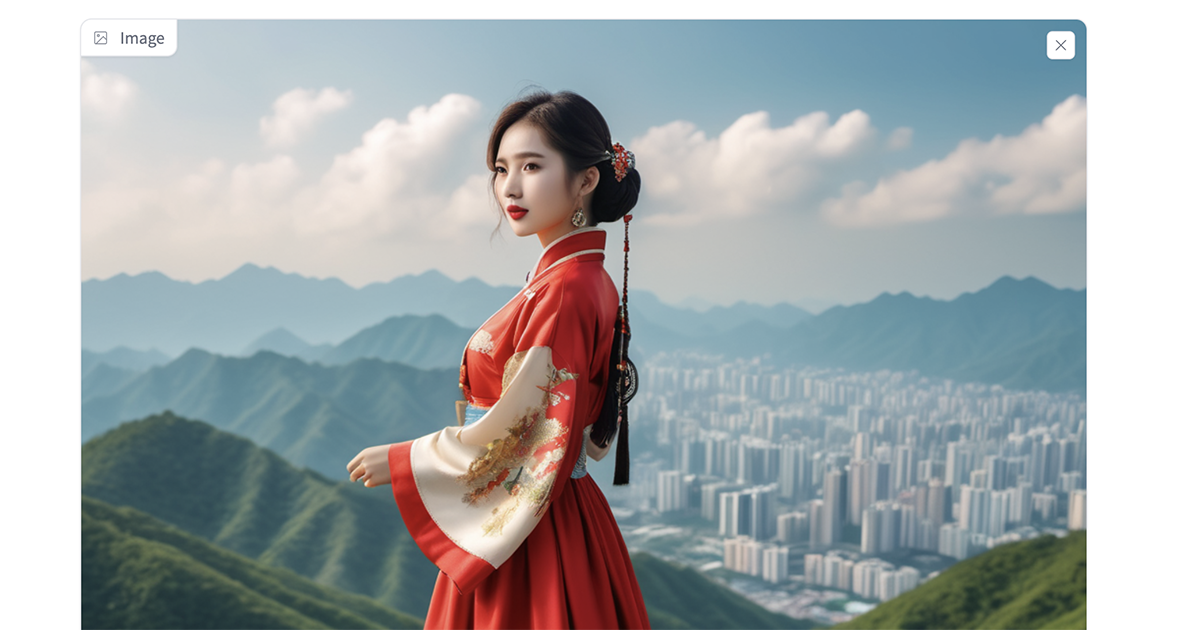
在 BananaImg AI 選「圖片轉圖片」上傳照片,貼上英文提示詞再按「生成」,幾秒就能用 Nano Banana 做出公仔、證件照、換裝、商品照等效果。
Google Gemini 工作室最新推出的圖片生成模型 Nano Banana,一上線就立刻在 AI 圈掀起熱潮。
沒有人料到 Nano Banana 的功能會進展得這麼快。它不只生成速度超快、幾秒鐘就能出圖,而且即使多次修改編輯,也能保持人物的臉部特徵與圖片細節一致。加上它對真實世界有廣博的知識,生成的圖片在內容與細節上都非常貼近現實。
為什麼推薦用 BananaImg AI 體驗 Nano Banana?
在眾多支援 Nano Banana 的平台中,我最推薦 BananaImg AI,因為它操作順暢,還提供免費試用 Nano Banana AI 生成圖片的機會,新用戶可以多次體驗。
下面我會說明推薦 BananaImg AI 的原因,再搭配 Nano Banana AI 指令全攻略的實用技巧,教你更有效率地運用提示詞。這些方法不只能豐富生活中的創意,也能在工作上提升效率。
BananaImg AI 是什麼?Nano Banana 圖片生成功能特色
BananaImg AI 是一款專門做圖片生成的 AI 工具,內建的就是 Nano Banana 模型,可以在這裡體驗免費的 Nano Banana AI 圖片生成服務。它的特色有這幾項:
- 快速出圖:幾秒鐘就能生成需要的圖片,大幅縮短等待時間。
- 高品質畫面:每次生成的圖片精度高、誤差低,降低反覆重做的成本。
- 人物一致性:不論是連環漫畫還是電影分鏡,多次編輯後人物都能保持一致,大幅提升創作效率。
- 貼近現實的細節:依靠模型對真實世界的知識,畫面細節會自動優化,更有真實感。
- 自然語言操作:只要輸入簡單的文字描述,就能精準生成想要的圖片。
- 免費試用:不用註冊就能拿到體驗點數,多次使用 Nano Banana AI 生成圖片。
BananaImg AI 怎麼用?文字轉圖片、圖片轉圖片三步驟
BananaImg AI 有兩種主要模式:文字轉圖片和圖片轉圖片。文字轉圖片是直接用文字描述畫面;圖片轉圖片則是先上傳圖片,再用文字提示調整。後面的指令全攻略每個玩法都會標註對應的模式,如果剛好激發你的創意,或在工作、生活上派得上用場,可以直接點進去免費試用。
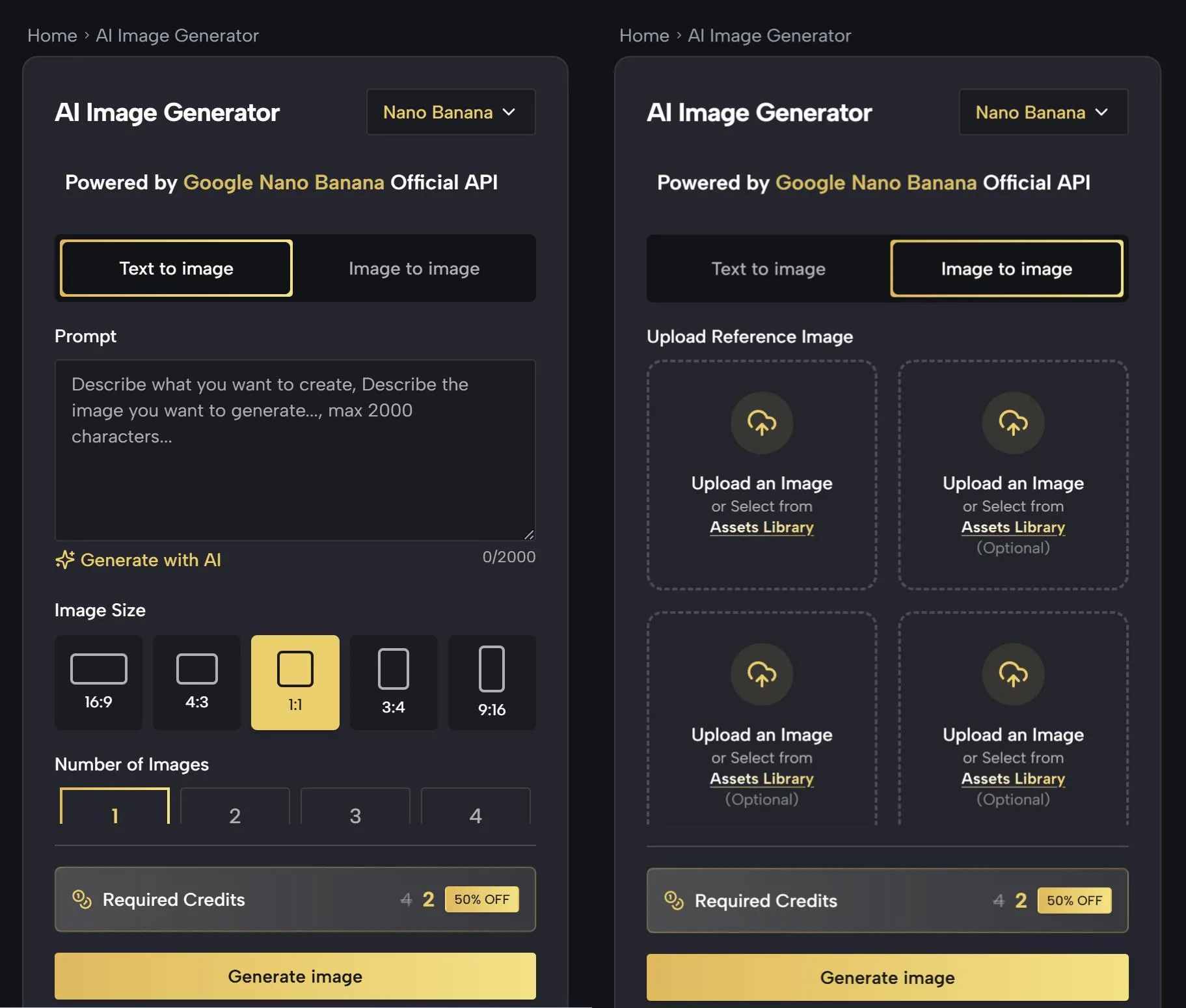
三步驟快速操作:
- 選擇模式:進入 BananaImg AI,點擊 https://bananaimg.ai/image/,選擇【文字轉圖片】或【圖片轉圖片】。
- 輸入需求:選【文字轉圖片】就輸入想要的畫面描述;選【圖片轉圖片】就先上傳圖片,再輸入文字提示做調整。
- 生成圖片:點擊「生成」,稍等幾秒就能拿到成果。
小提醒:BananaImg AI 看得懂中文,不過輸入英文提示詞通常會得到更好的效果,所以下面的範例提示詞都保留英文原文,可以直接複製使用。提示詞裡用中括號標示的部分,例如 [background]、[blue],就是可以依需求替換的內容。
Nano Banana AI 指令全攻略(上):公仔、換裝、證件照等 10 種玩法
下面每一種 Nano Banana AI 指令玩法都附上對應模式、英文提示詞與範例圖,這一段的 10 種玩法全部都是「圖片轉圖片」模式,要先上傳圖片再貼上提示詞。
公仔模型(圖片轉圖片)
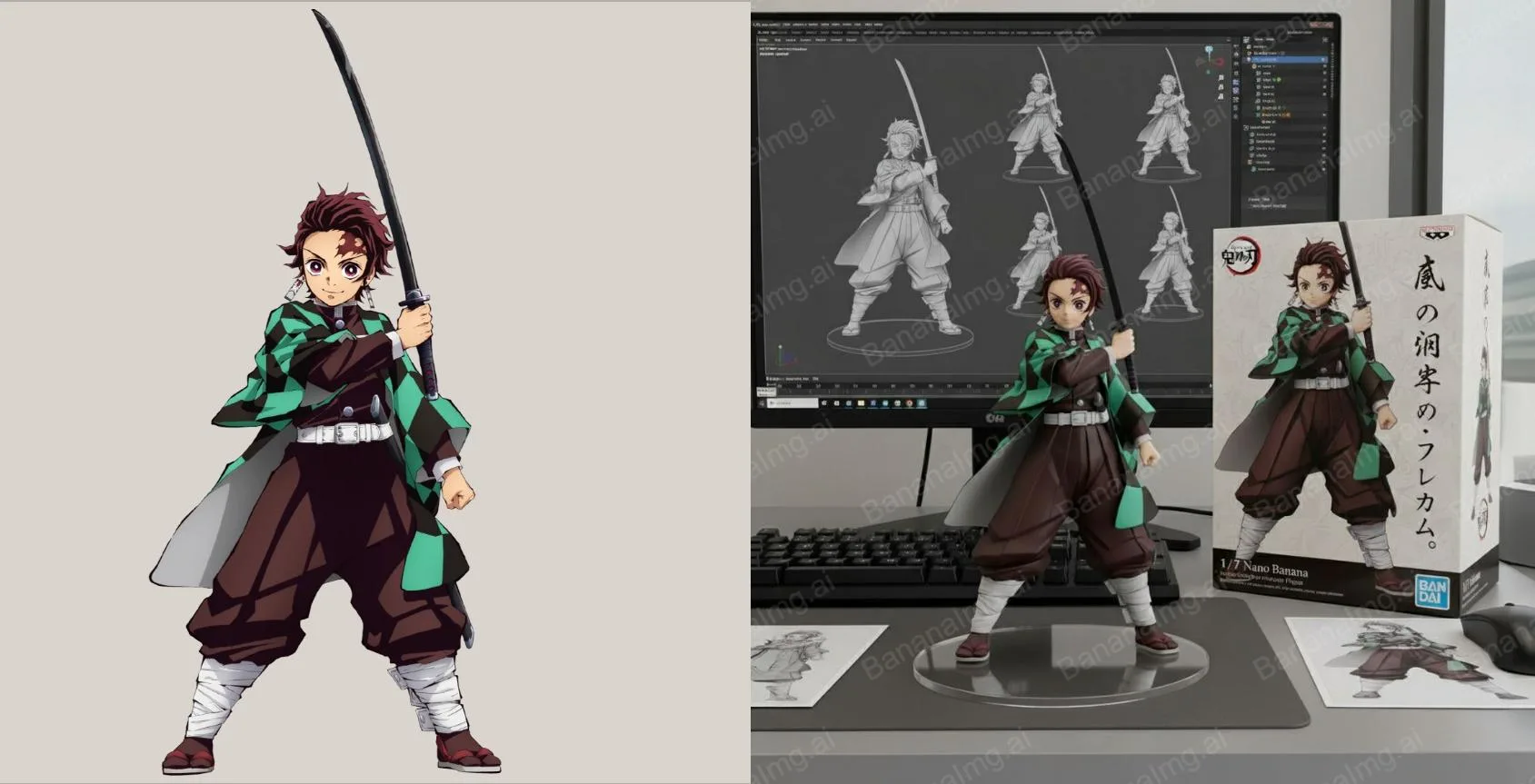
點擊BananaImg AI,將你最喜歡的動漫角色做成公仔模型。上傳你喜歡的動漫角色插圖,貼上下面的提示詞,就會生成一張 1/7 比例的寫實公仔照:公仔放在電腦桌上、底下是無文字的圓形透明壓克力底座,螢幕顯示 ZBrush 建模過程,旁邊還有印著原圖的包裝盒。
Use the nano-banana model to create a 1/7 scale commercialized figure of the character in the illustration, in a realistic style and environment.Place the figure on a computer desk, using a circular transparent acrylic base without any text.On the computer screen, display the ZBrush modeling process of the figure.Next to the computer screen, place a BANDAl-style toy packaging box printed with the original artwork.
人物換裝(圖片轉圖片)
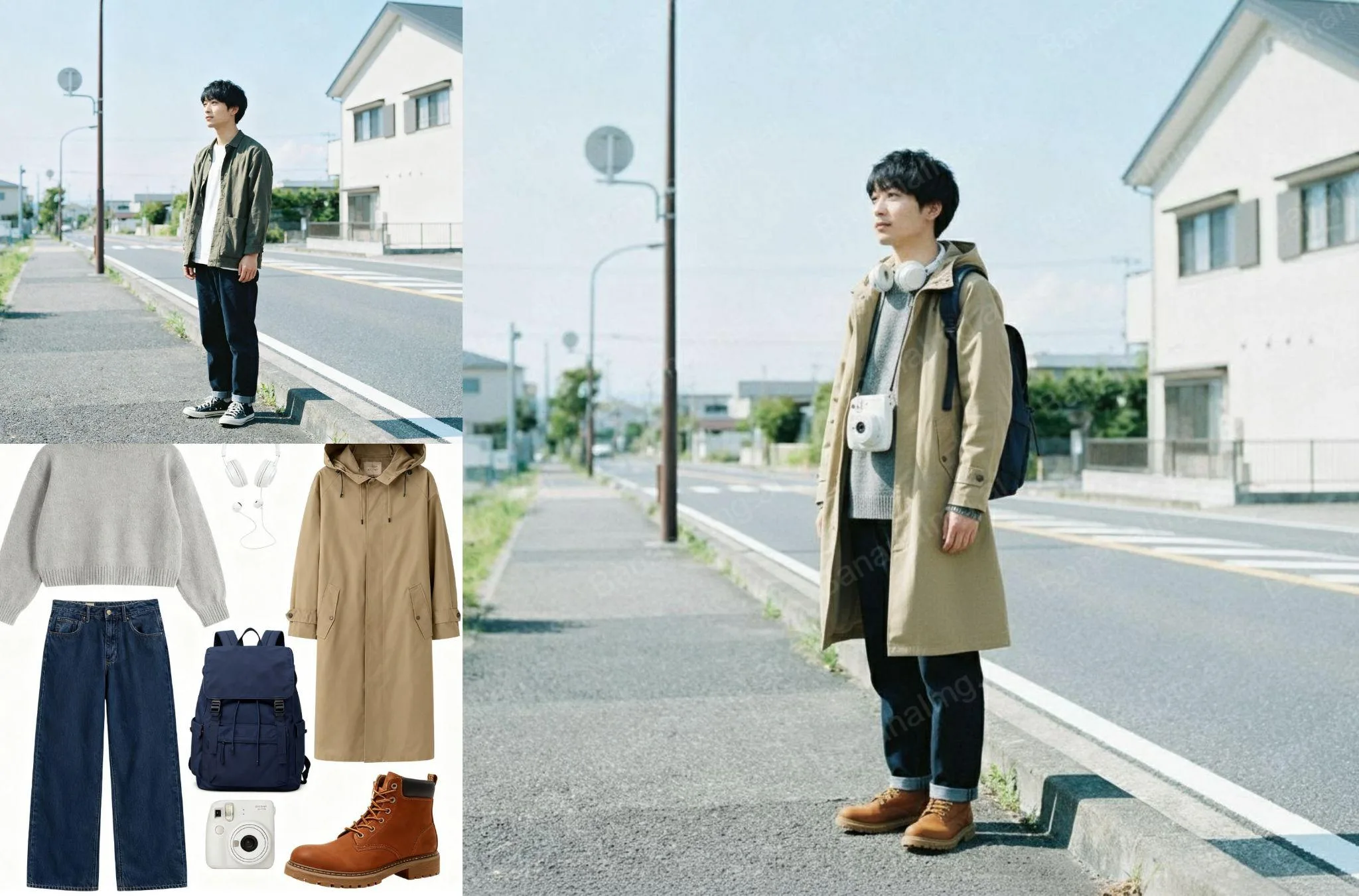
點擊BananaImg AI,幫人物套上不同服裝,或讓模特展示最新款式。上傳要換裝的人物照片(提示詞中的 image 1),再輸入下面這句提示詞即可。
Change the clothes of the character in image 1.
商品展示(圖片轉圖片)
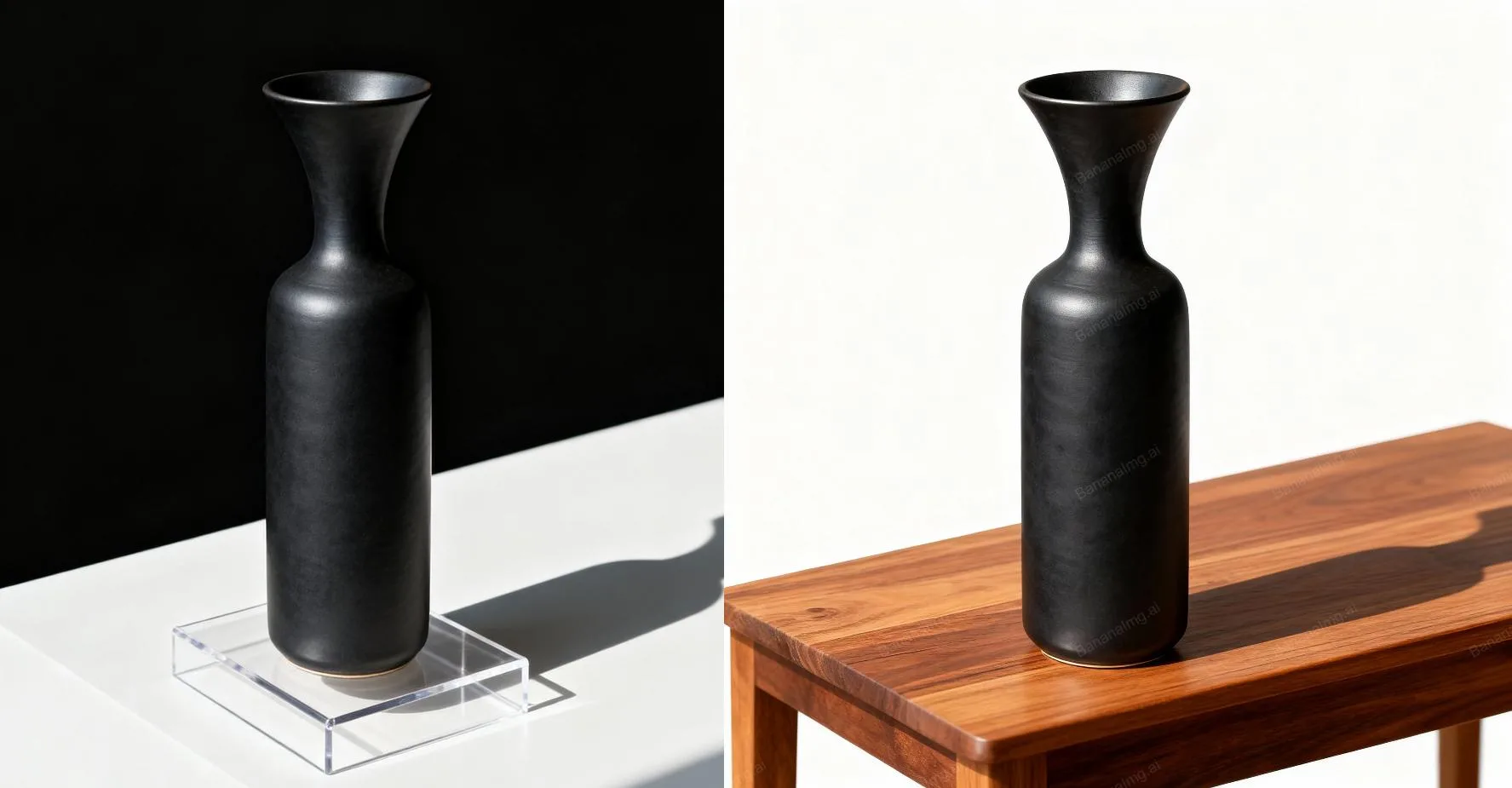
點擊BananaImg AI,為你的新商品製作高質感特寫。上傳商品照片,把提示詞裡的 [background] 換成你想要的背景,就能生成柔和光影、淺景深的棚拍風格商品特寫。
Studio shot of the product, elegantly positioned on a [background], soft ambient shadows, smooth gradient backdrop, high-key lighting, shallow depth of field, ultra-sharp focus on the subject, subtle reflections, minimal aesthetic, professional DSLR, premium commercial lighting setup, optimized for high-end product presentation.
自拍九宮格(圖片轉圖片)
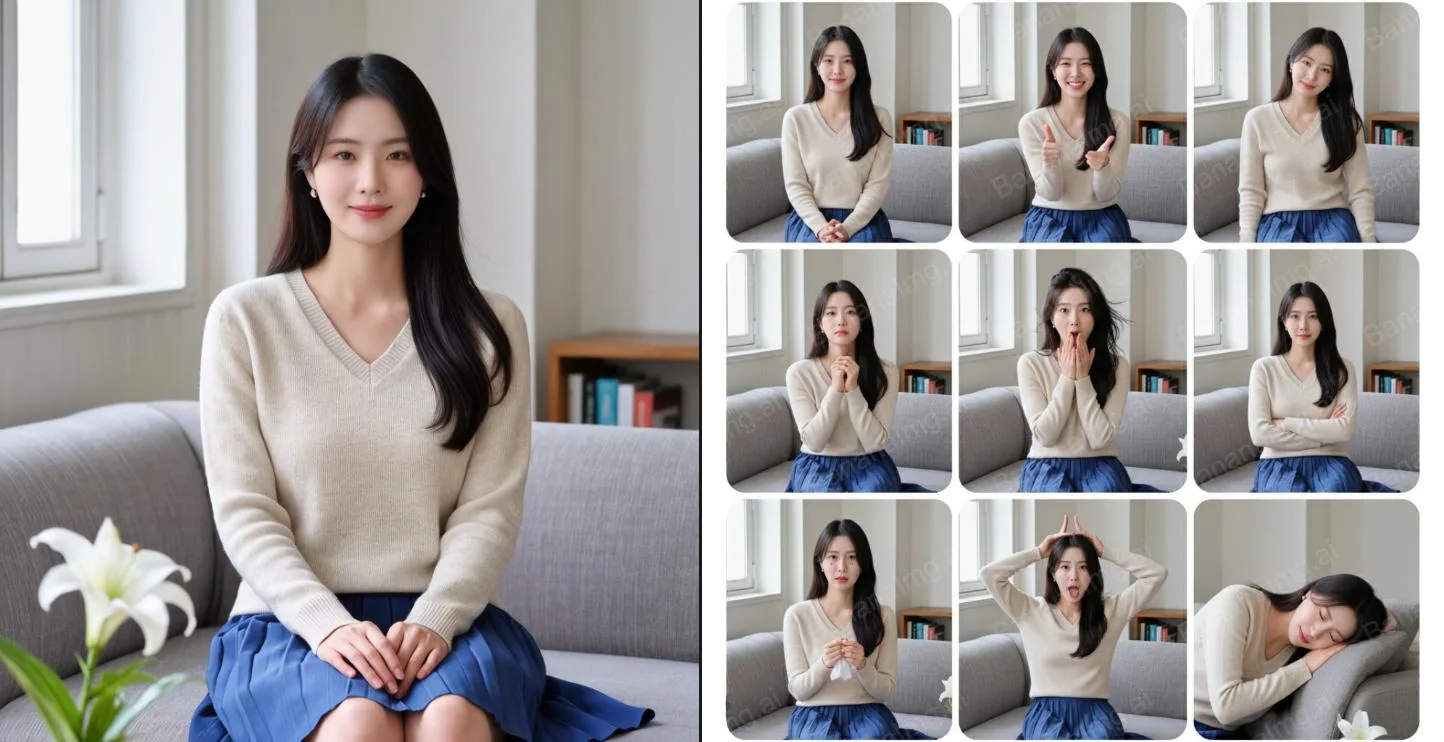
點擊BananaImg AI,把一張自拍照變成九種不同姿勢。上傳一張自拍照,用下面的提示詞要求生成 3×3 的拍貼九宮格,每一格都是不同姿勢和表情,不會重複。
Use this photo to make a 3*3 photo booth grid. Each photo should have a different pose and expression. No repetition allowed.
正裝證件照(圖片轉圖片)
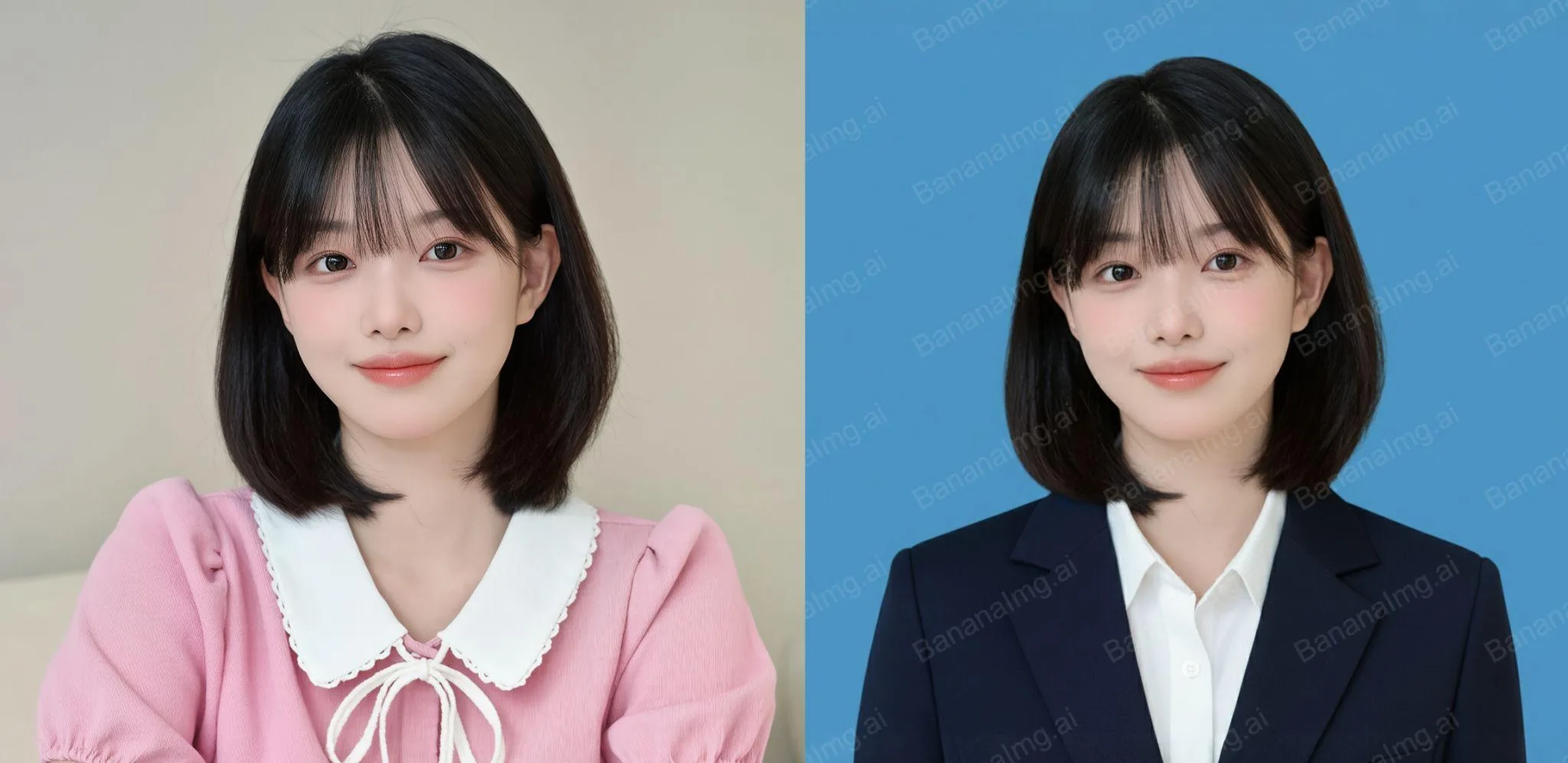
點擊BananaImg AI,將日常照片轉換成正式的證件照。上傳一張日常照片,提示詞裡的 [blue] 是證件照底色,可以換成你要的顏色,生成時會保留臉部樣貌並換上西裝。
Transform the photo into a [blue] ID photo who is in a suit. Maintain the character’s facial appearance the same.
Cosplay(圖片轉圖片)
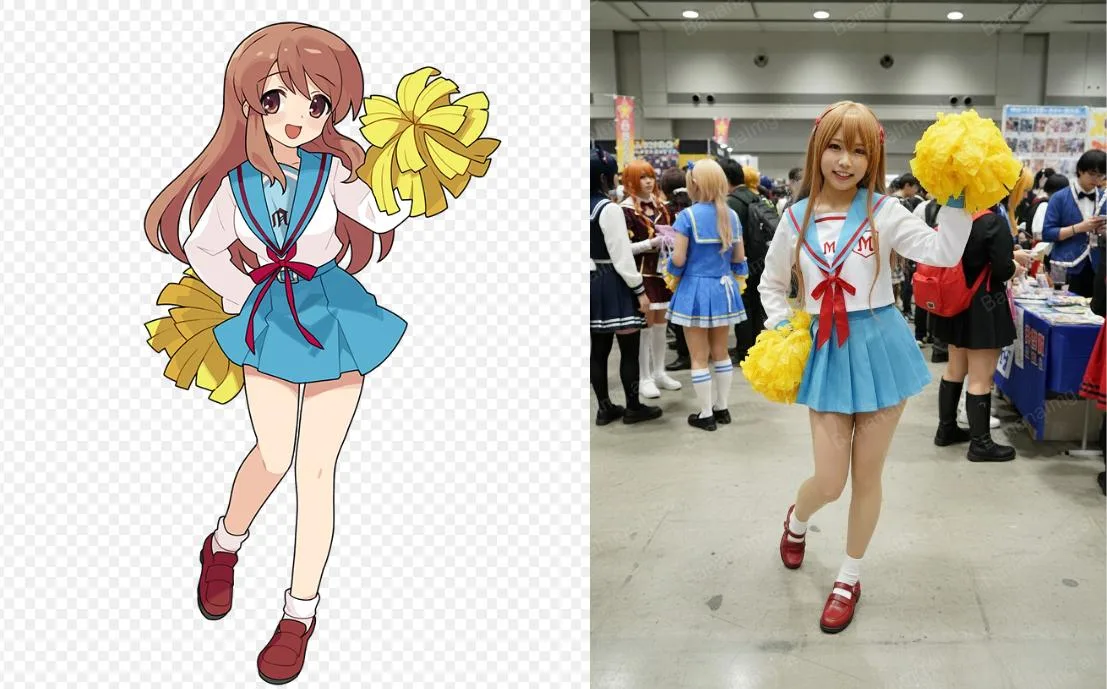
點擊BananaImg AI,一鍵生成你喜歡角色的Cosplay照。上傳角色插圖,把 [girl] 換成你要的人物,就能生成在 Comiket 會場 Cosplay 這張插圖的照片,姿勢、手勢、表情和構圖都會照原圖複製。
Generate a highly detailed photo of a [girl] cosplaying this illustration, at Comiket. Exactly replicate the same pose, body posture, hand gestures, facial expression, and camera framing as in the original illustration. Keep the same angle, perspective, and composition, without any deviation.
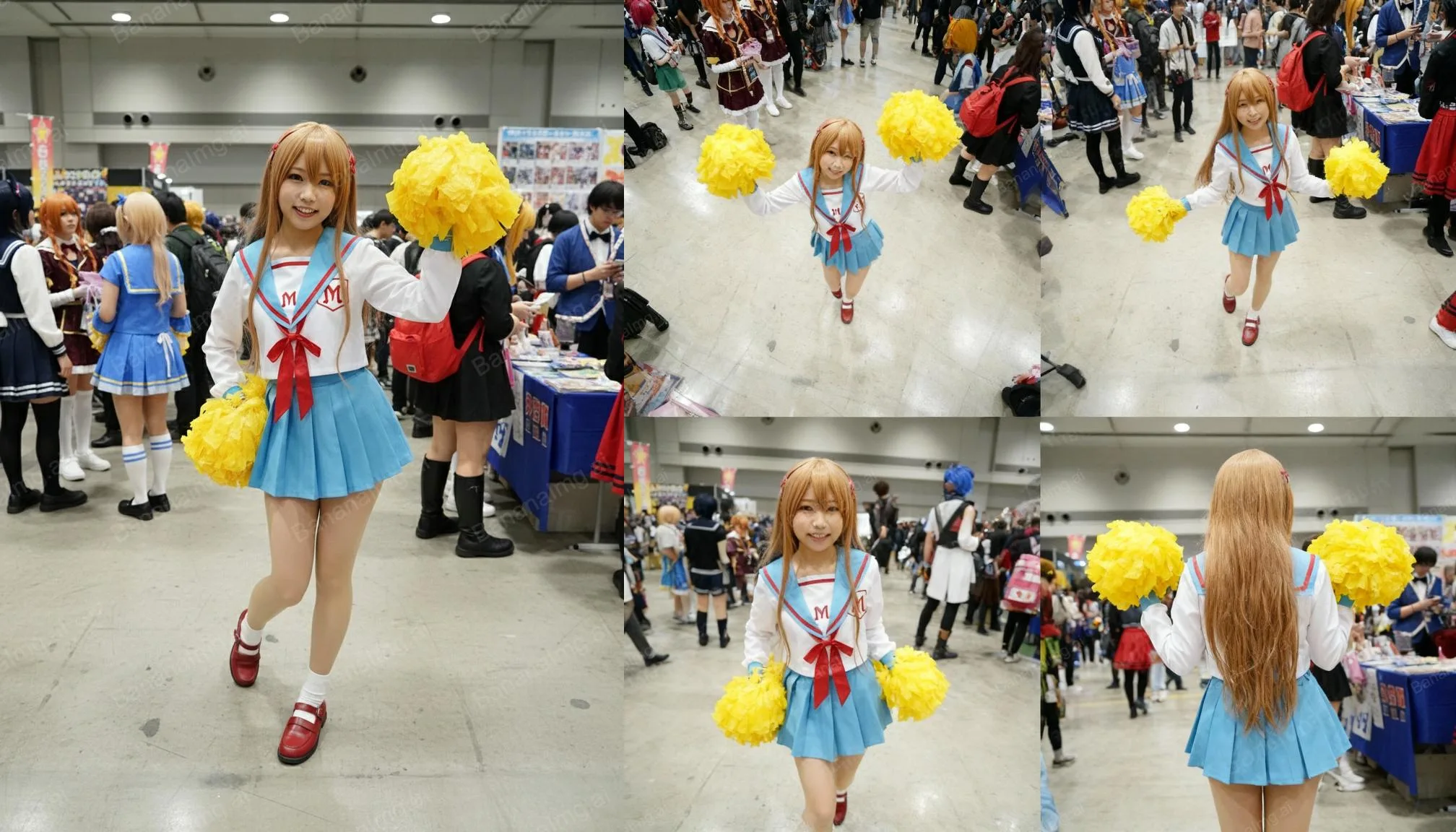
四視圖展示(圖片轉圖片)
點擊BananaImg AI,生成不同角度的圖片,可用於商品展示。上傳人物或商品照片,提示詞會要求生成俯視、高角度、側面和背面四個視角,而且不改變人物的外貌和服裝。
Refer to this image and generate 4 images from different views: 360-degree overhead view, elevated view, side view and back view. Don't change the lady's appearance and outfit.
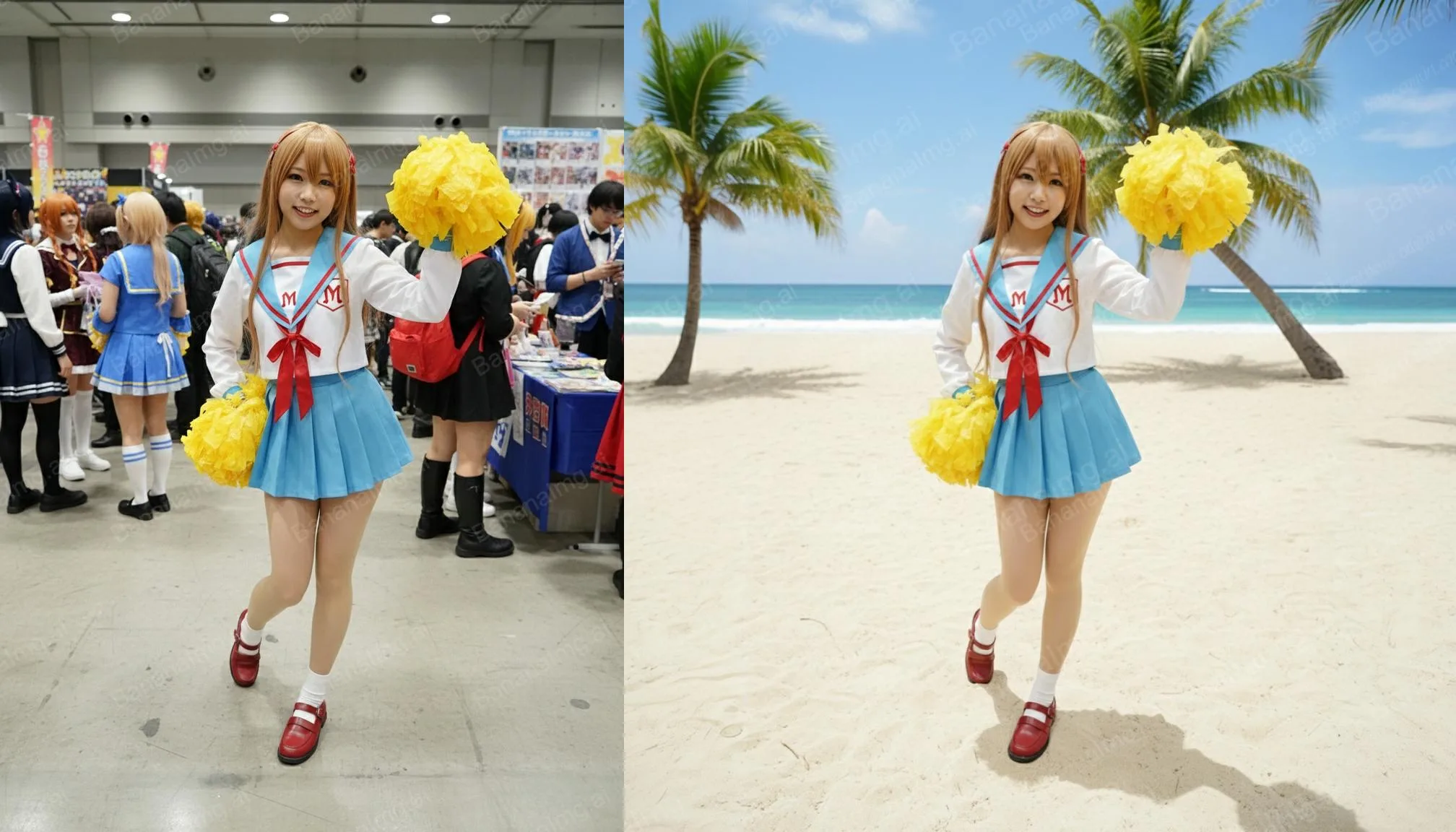
背景更換(圖片轉圖片)
點擊BananaImg AI,替喜歡的照片套上全新背景。上傳照片,把提示詞裡的 [beach] 換成想要的場景,就能替照片換上新背景。
Replace the image background with [beach].
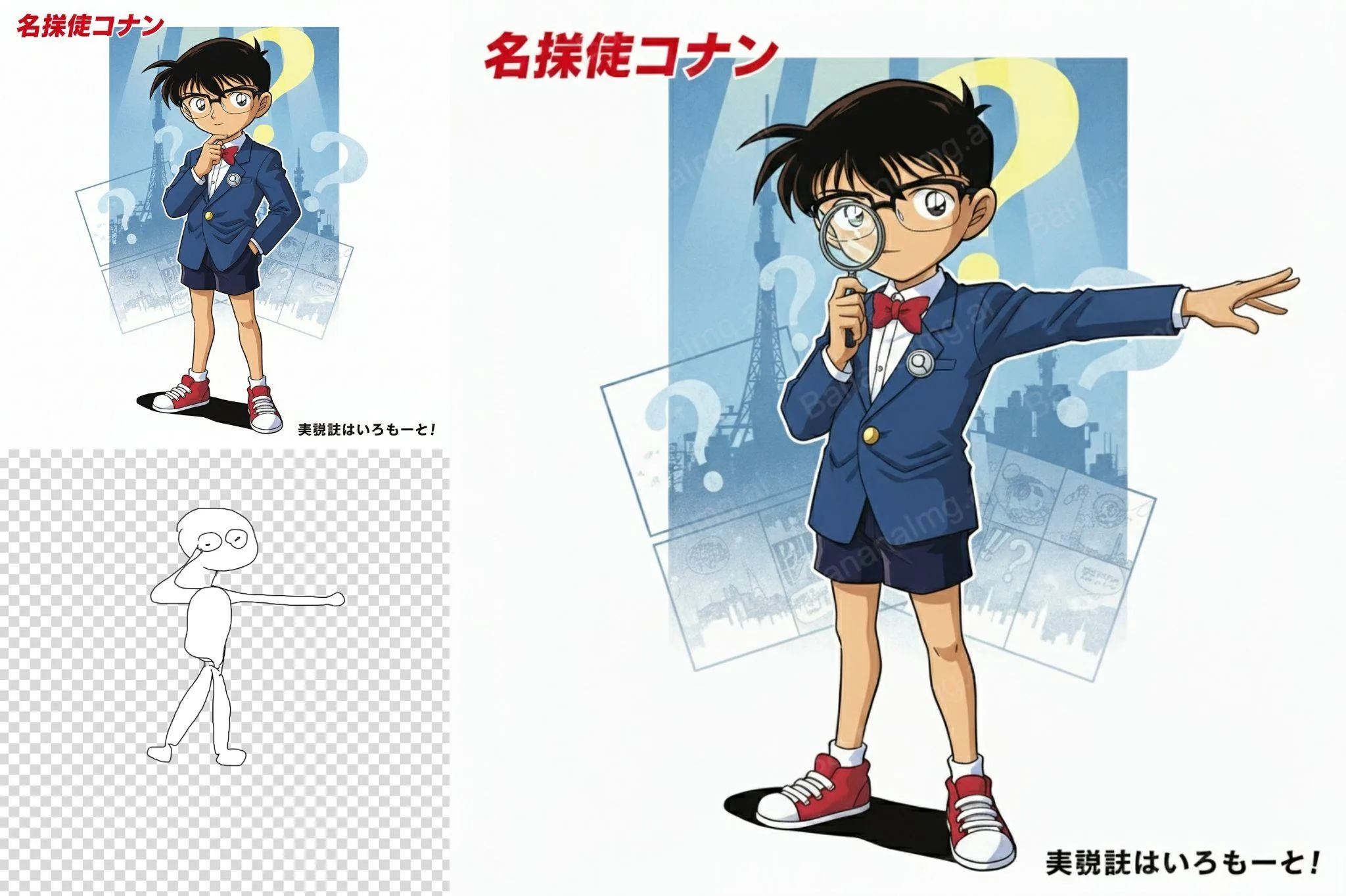
姿勢變換(圖片轉圖片)
點擊BananaImg AI,保留人物特徵,切換不同姿勢。準備兩張圖:image 1 是要保留臉部特徵的人物,image 2 是要參考的姿勢,上傳後輸入下面三段提示詞,要求臉部完全不變、姿勢自然。
Please adjust the pose of the character in image 1 to exactly match the pose of the character in image 2. Key requirements are as follows:
Do not modify any facial features of the character from image 1, including but not limited to facial shape, eyes, nose, mouth, eyebrows, and hairstyle—these must remain 100% consistent with the original.
Ensure the final effect is smooth and natural: avoid awkward proportions, rigid transitions, or unnatural postural details. The character should look like it naturally adopts image 2's pose.
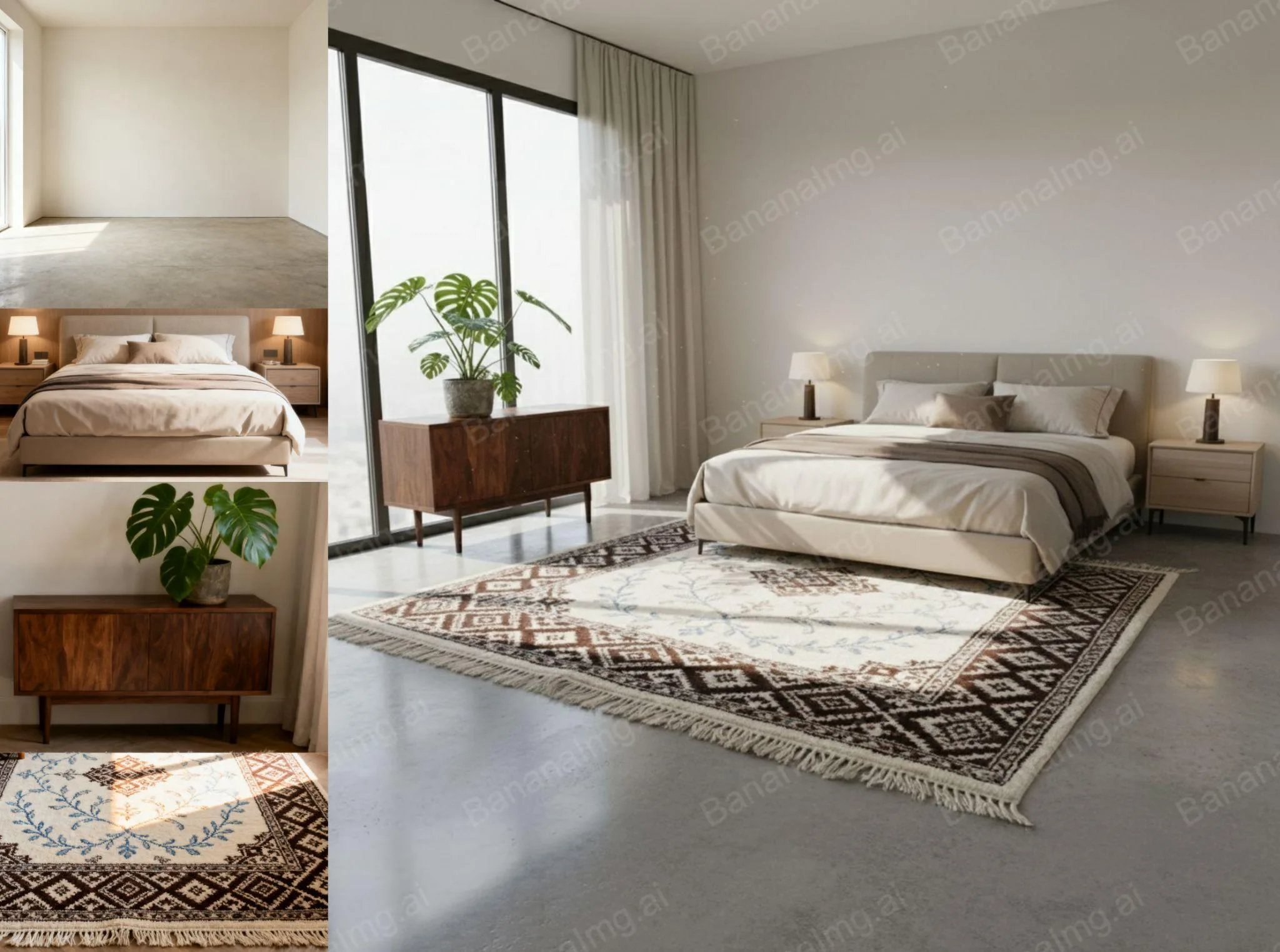
多圖融合(圖片轉圖片)
點擊BananaImg AI,讓模特套上不同單品,或把多件傢俱展示在同一空間。一次上傳多張圖片,例如模特和要搭配的單品,或是好幾件傢俱,用下面的提示詞把它們自然融合在同一個真實場景裡。
Combine these images into one naturally with real-world scenes.
Nano Banana AI 指令全攻略(下):建築、室內設計、插畫等 14 種玩法
接下來的 14 種玩法同樣都是「圖片轉圖片」模式,從建築、地圖、室內設計,到各種插畫風格與商品宣傳圖都有。
3D建築模型(圖片轉圖片)
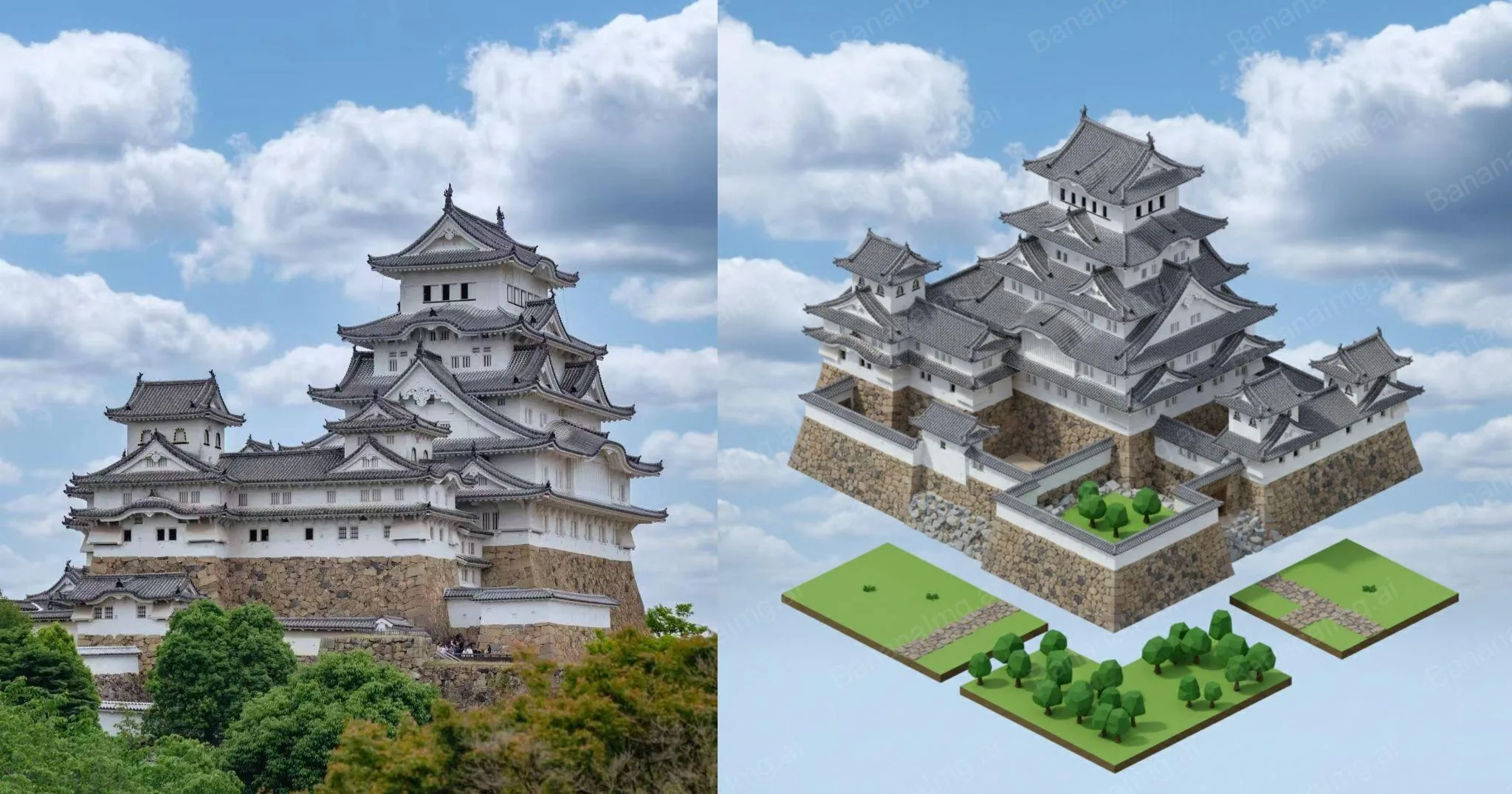
點擊BananaImg AI,把真實建築轉換成可愛的3D模型。上傳建築照片和一張 3D 渲染的參考圖,提示詞會把建築轉成和參考圖風格相近的等角視角 3D 模型。
Convert this photo of a building into isometric tiles, similar in style to the first 3D rendered image.
Google地圖場景(圖片轉圖片)
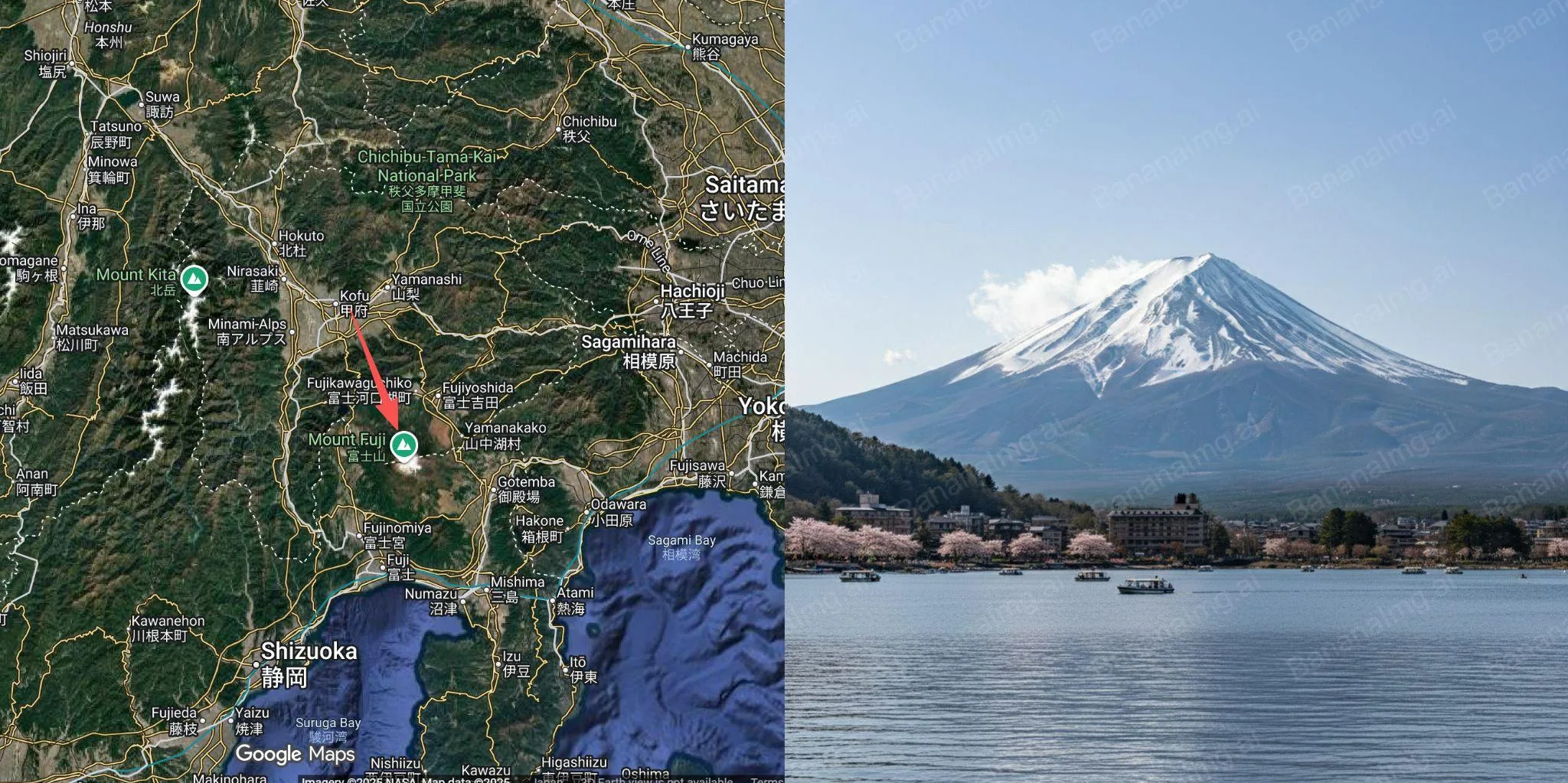
點擊BananaImg AI,根據地圖生成真實感場景。上傳一張標有紅色箭頭的 Google 地圖截圖,提示詞只要一句,就會畫出紅色箭頭位置看到的場景。
Draw what the red arrow sees.
室內設計(圖片轉圖片)
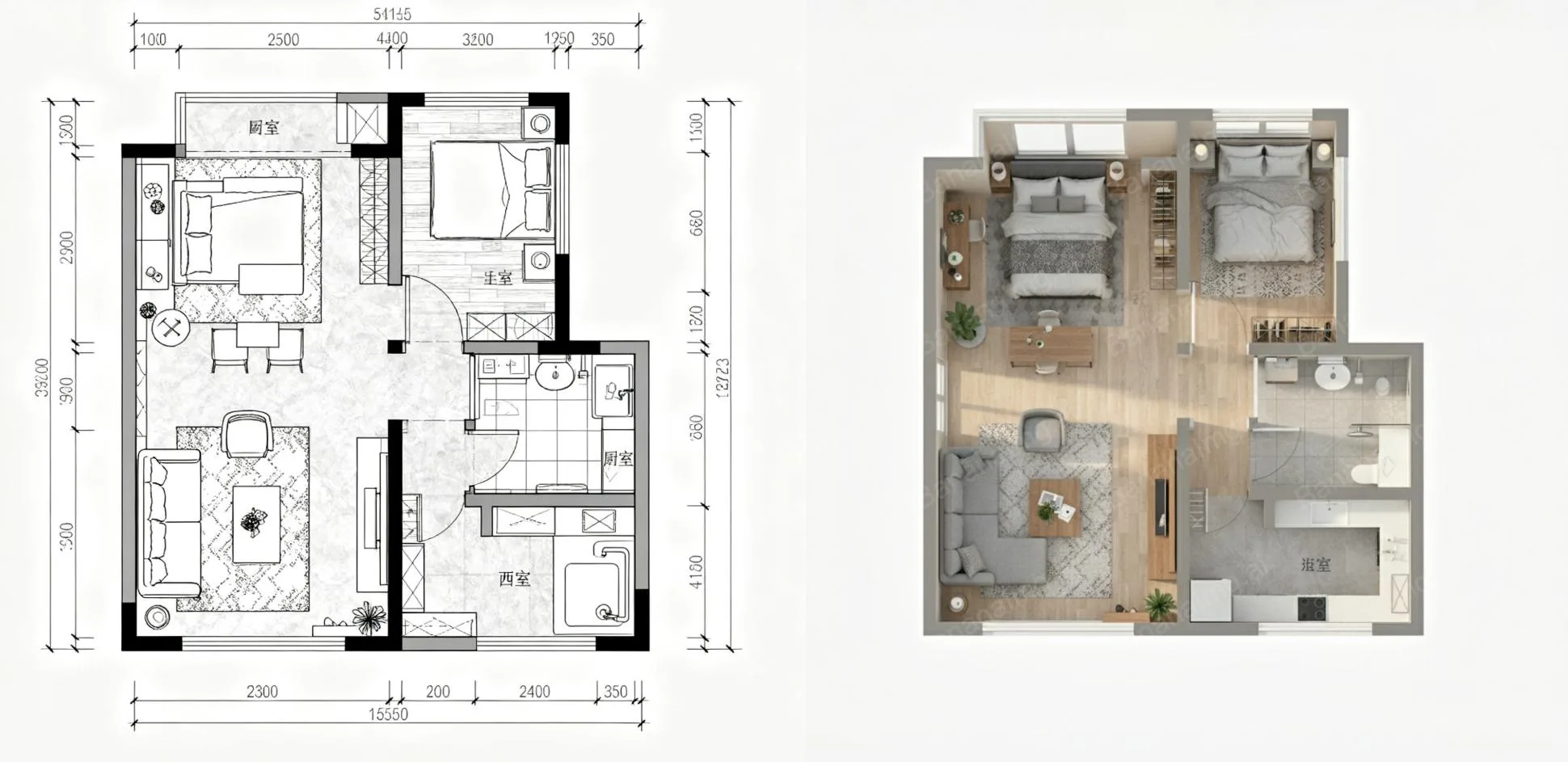
點擊BananaImg AI,將設計草圖轉換成擬真的室內效果圖。上傳住宅平面圖或設計草圖,用下面的提示詞轉成等角視角、擬真的 3D 室內效果圖。
Help me convert this residential floor plan into an isometric photorealistic 3D rendering of the house.
多人合照(圖片轉圖片)
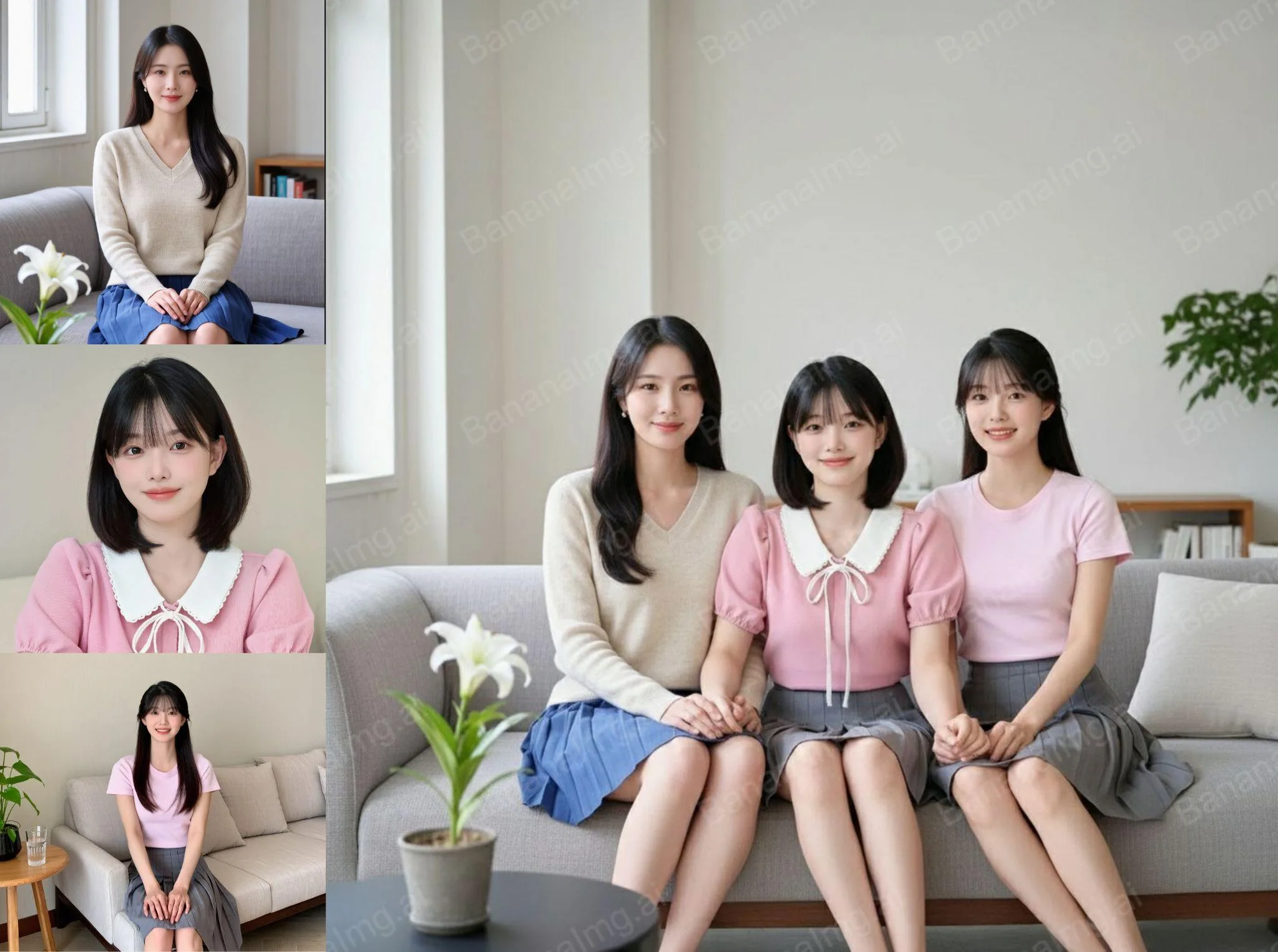
點擊BananaImg AI,把多張單人照合成一張自然的合影。上傳多張單人照,用一句提示詞就能把這些人合成一張自然的合照。
Combine these characters into one group image.
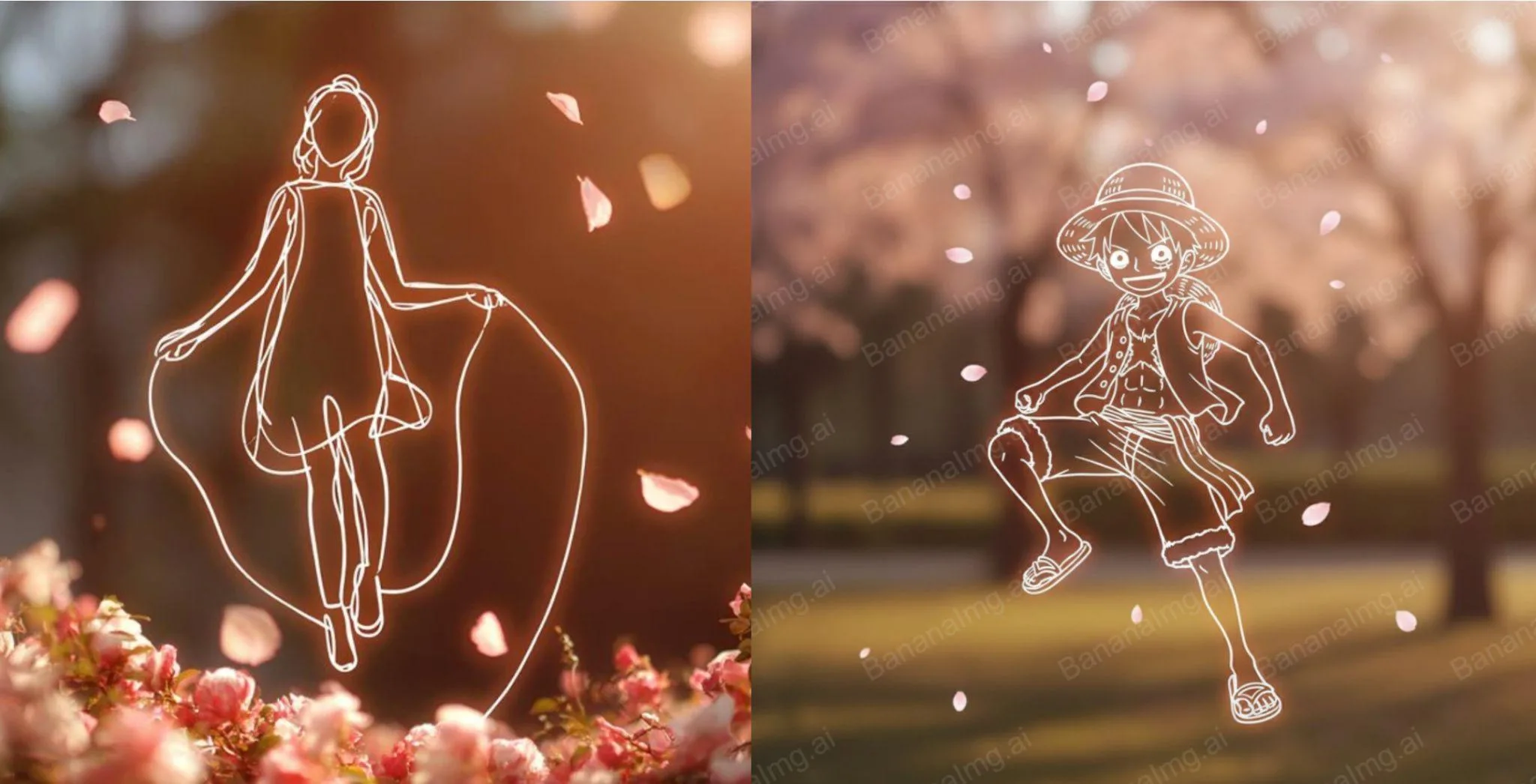
可愛插畫(圖片轉圖片)
點擊BananaImg AI,生成兒童風格的可愛繪畫。上傳角色圖片後,把 [Luffy]、[Environmental Details]、[Floating Details] 換成你要的角色、背景與漂浮元素,就會生成粗白線條、發光輪廓的極簡兒童畫風插圖。
Generate a minimalist children's drawing based on the upload image. The requirements are as follows:
a minimalist children's drawing-style image of [Luffy], using thick white lines and a glowing outline. The background is softly blurred by [Environmental Details]. Floating elements like [Floating Details] add a touch of whimsy. A full-body perspective creates a warm, minimalist aesthetic.
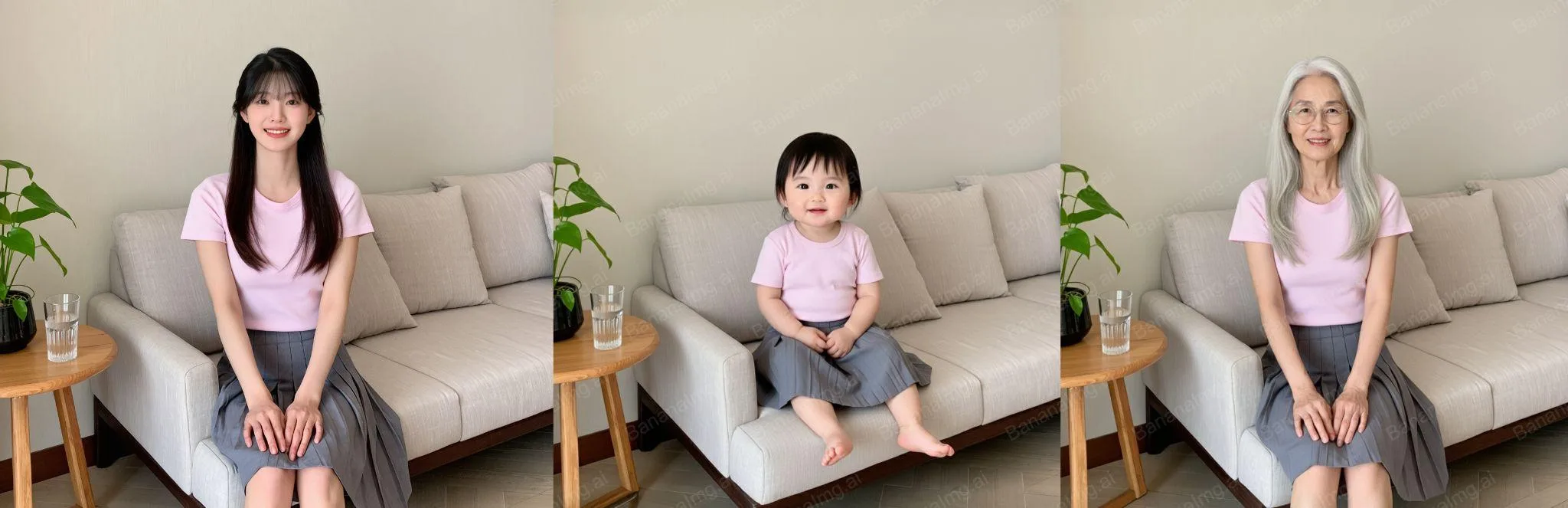
年齡變化(圖片轉圖片)
點擊BananaImg AI,模擬人物在不同年齡段的樣貌。上傳人物照片,把 [baby] 換成想模擬的年齡狀態,提示詞會要求保留眼鏡、鼻子、嘴巴、臉型和髮型等特徵。
Transform the character into [baby] state, ensuring that the transformed facial features are similar to the original facial features, such as glasses, nose, mouth, face shape and hairstyle.
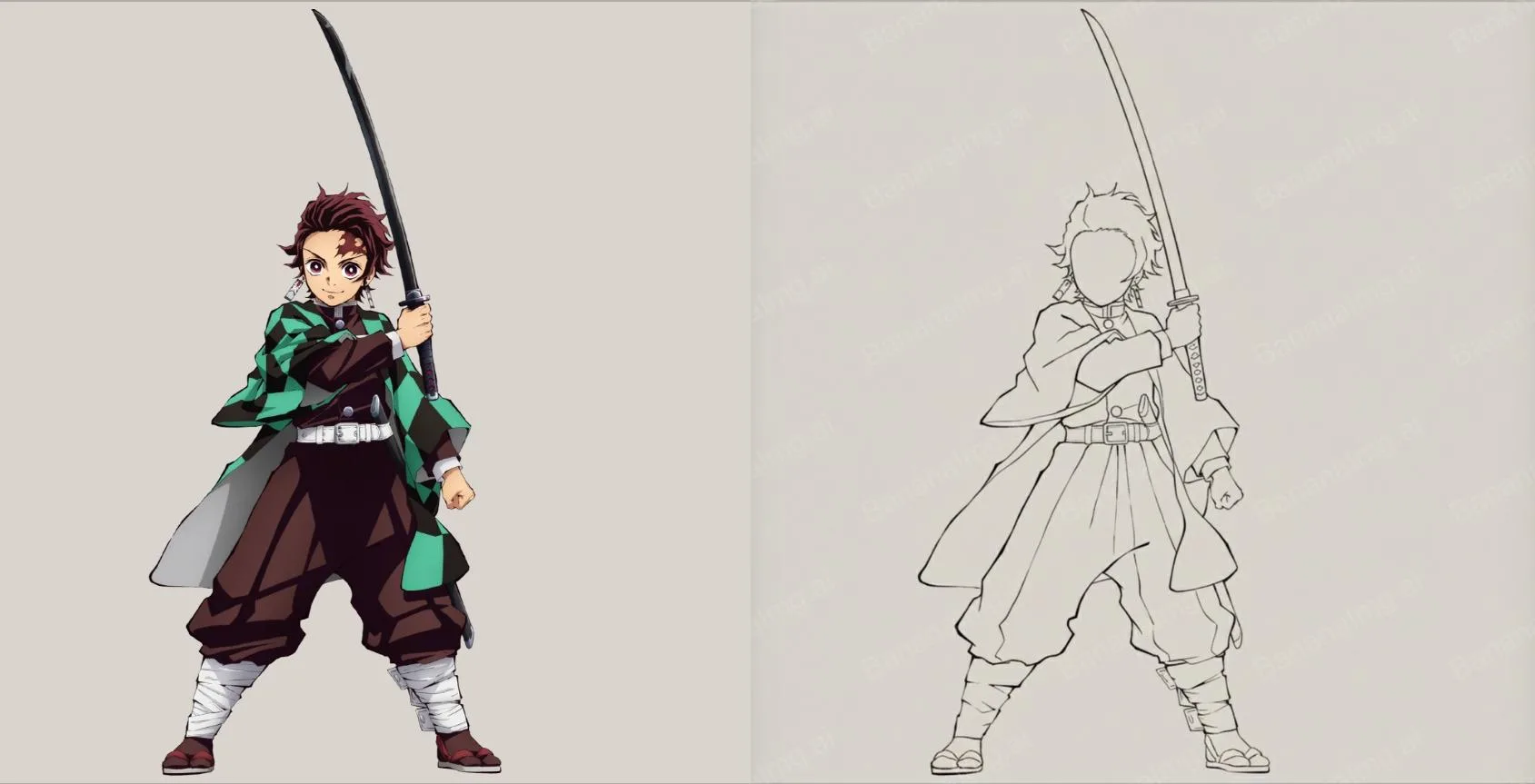
輪廓線條(圖片轉圖片)
點擊BananaImg AI,把人物繪製成簡約線條感插畫。上傳人物照片,用下面的提示詞畫成黑色流暢線條、留白俐落的極簡輪廓插畫。
Minimalist paint-style outline of the character, flowing black lines, clean composition, simple yet dramatic pose, fluid movement captured with elegant negative space, expressive and graceful silhouette.
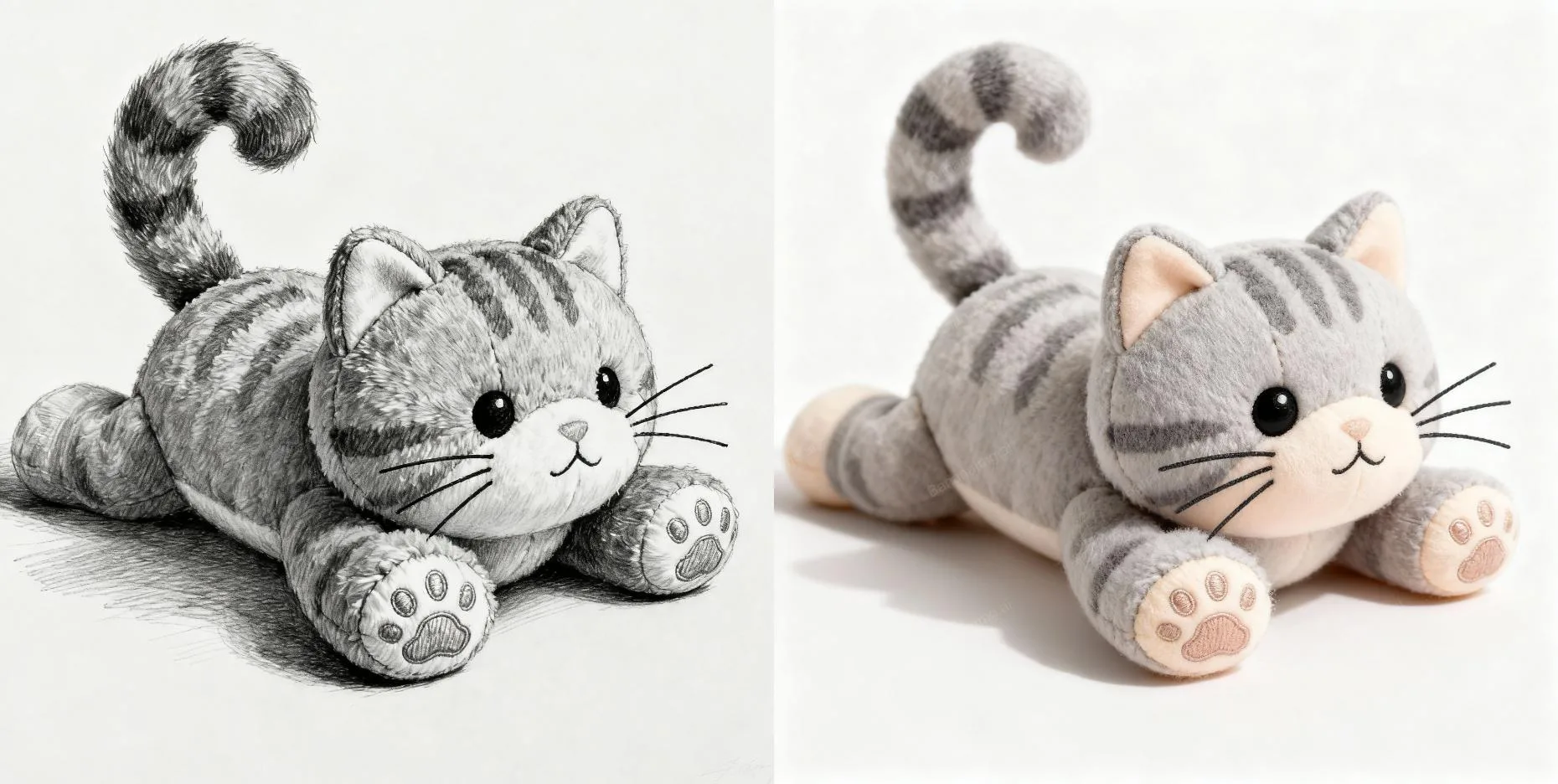
草稿轉真圖(圖片轉圖片)
點擊BananaImg AI,將手繪草稿生成逼真的實物效果。上傳手繪草稿,把 [doll] 換成你畫的東西,就能把草稿變成逼真的實物效果。
Transform the sketch into a [doll].
電影分鏡(圖片轉圖片)
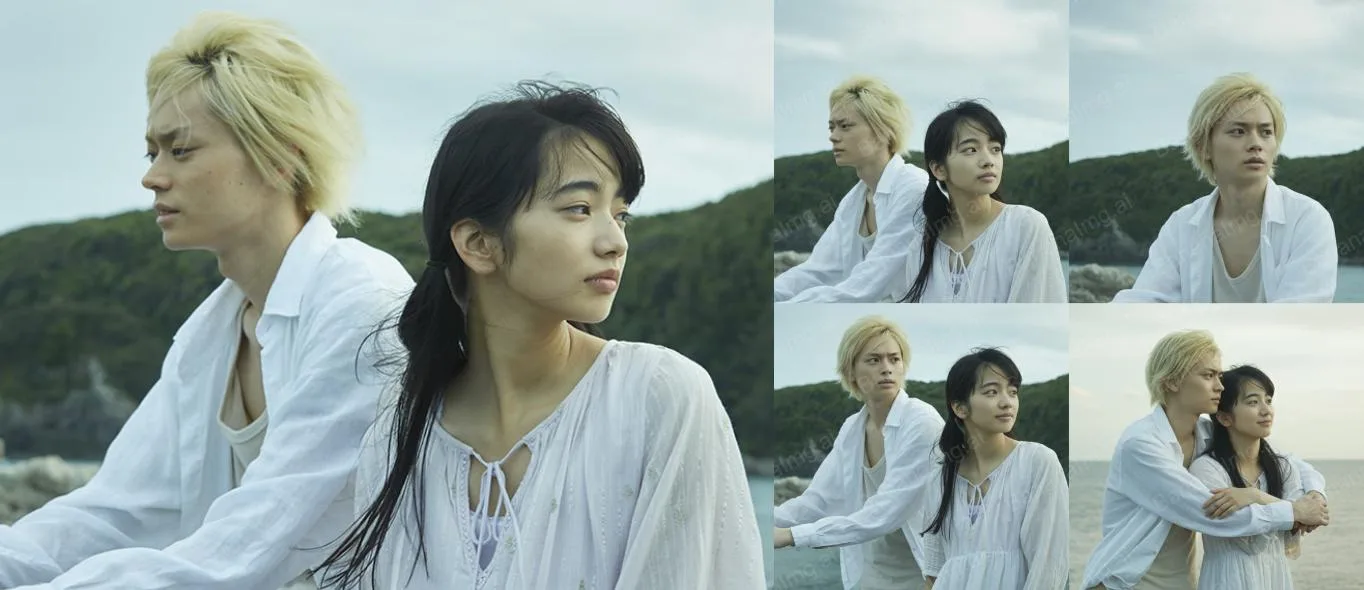
點擊BananaImg AI,從一張圖延伸生成多個場景。上傳一張圖片,提示詞會以它為基礎延伸出一組 4 張的電影分鏡。
Generate a set of 4-images movie storyboards based on the upload image.
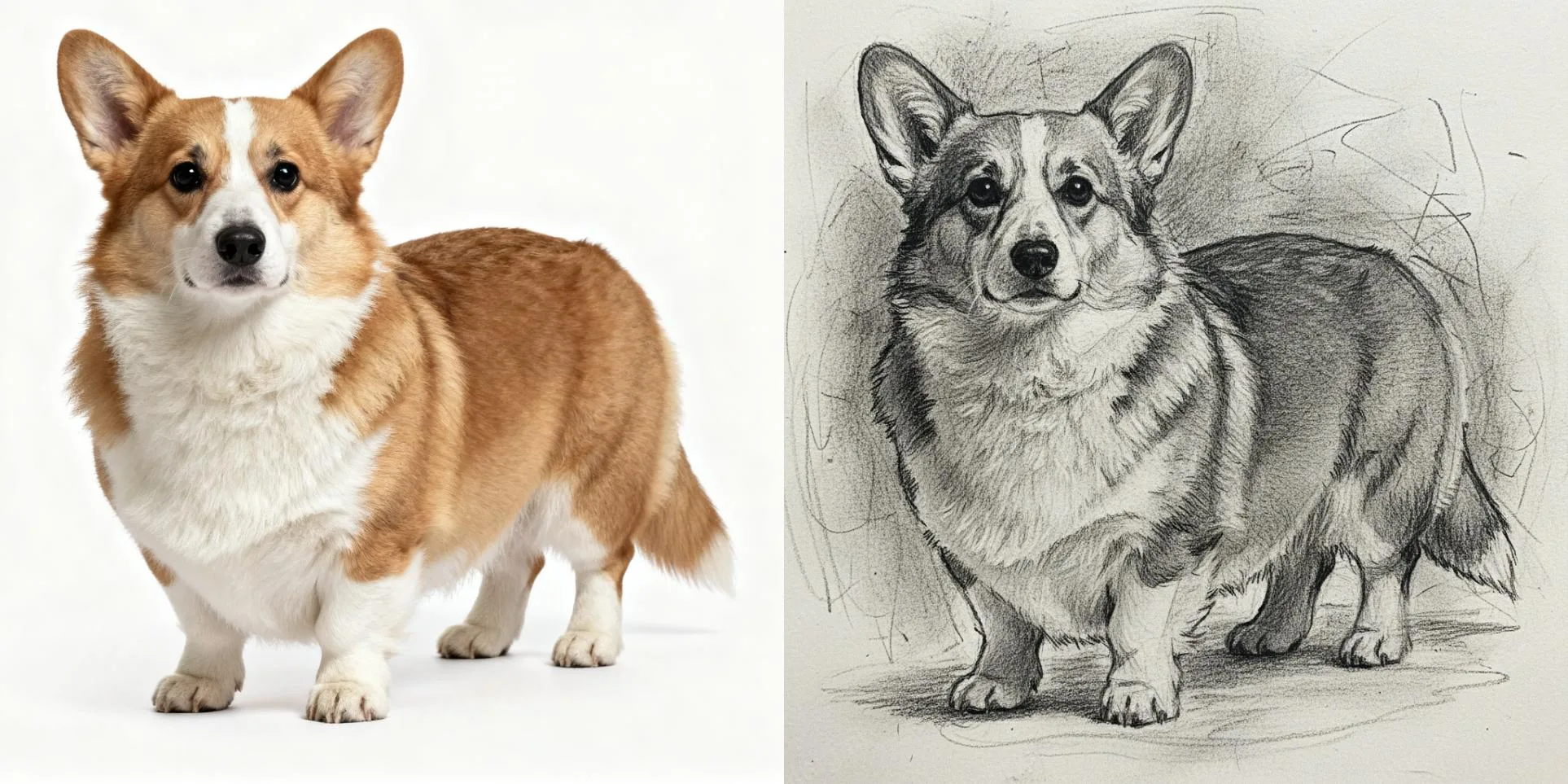
炭筆素描(圖片轉圖片)
點擊BananaImg AI,將照片轉換成張力十足的炭筆風格。上傳人物照片,用下面兩段提示詞生成只有黑白、帶有陰影與筆觸質感的炭筆素描。
A charcoal sketch of the character, raw and textured with expressive shading and bold linework. The background is filled with smudged gradients and sketchbook marks, giving it a gritty, unrefined elegance.
No color in the image, but black and white.
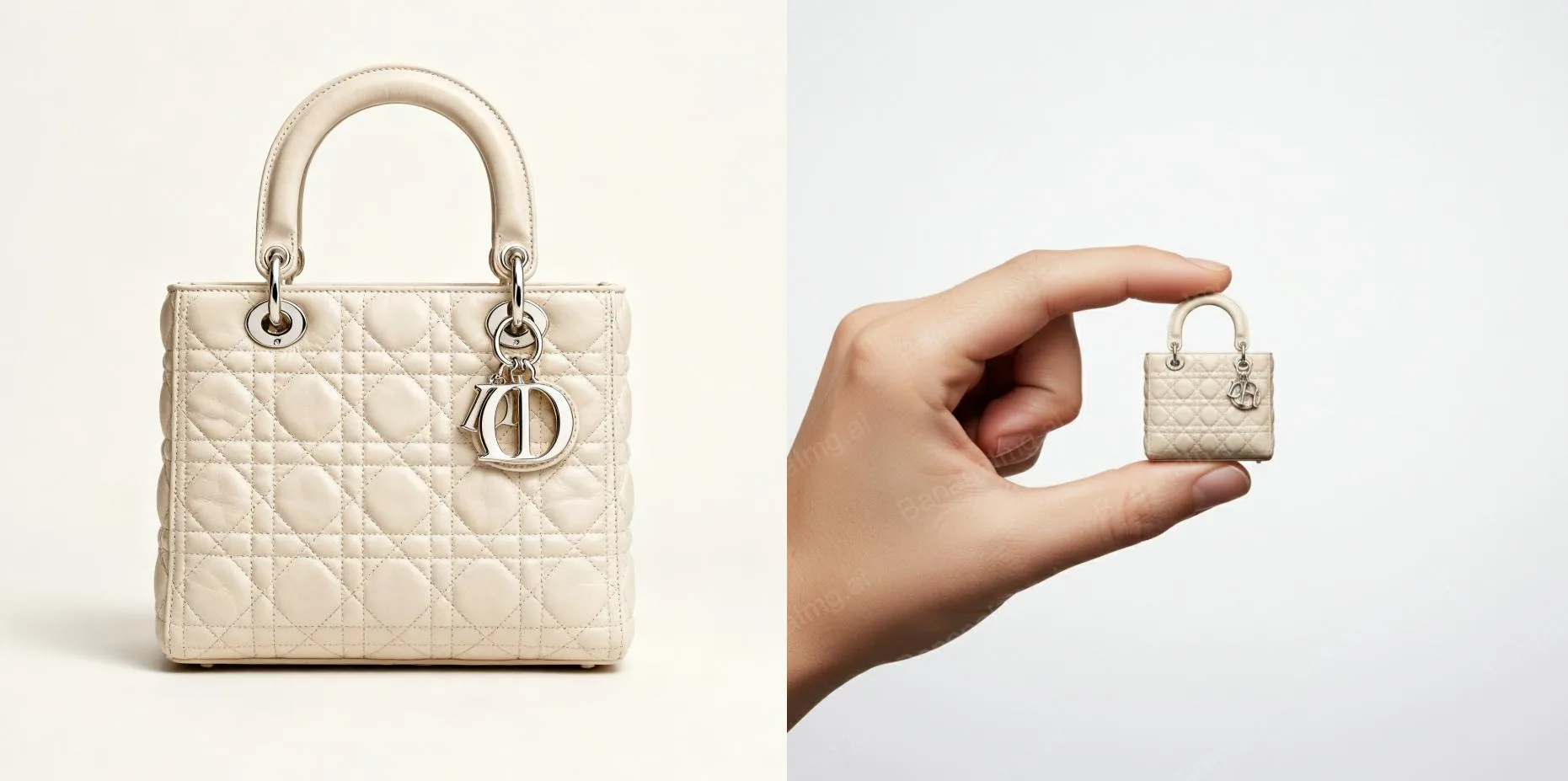
迷你手辦(圖片轉圖片)
點擊BananaImg AI,為商品生成特別的手辦風格宣傳圖。上傳商品照片,提示詞會生成迷你版商品被拇指和食指捏著的高解析廣告照,白色背景、棚拍光線,適合做宣傳圖。
A high-resolution advertising photograph of a realistic, miniature product held delicately between a person's thumb and index finger. clean and white background, studio lighting, soft shadows. The hand is well-groomed, natural skin tone, and positioned to highlight the product's shape and details. The product appears extremely small but hyper-detailed and brand-accurate, centered in the frame with a shallow depth of field. Emulates luxury product photography and minimalist commercial style.
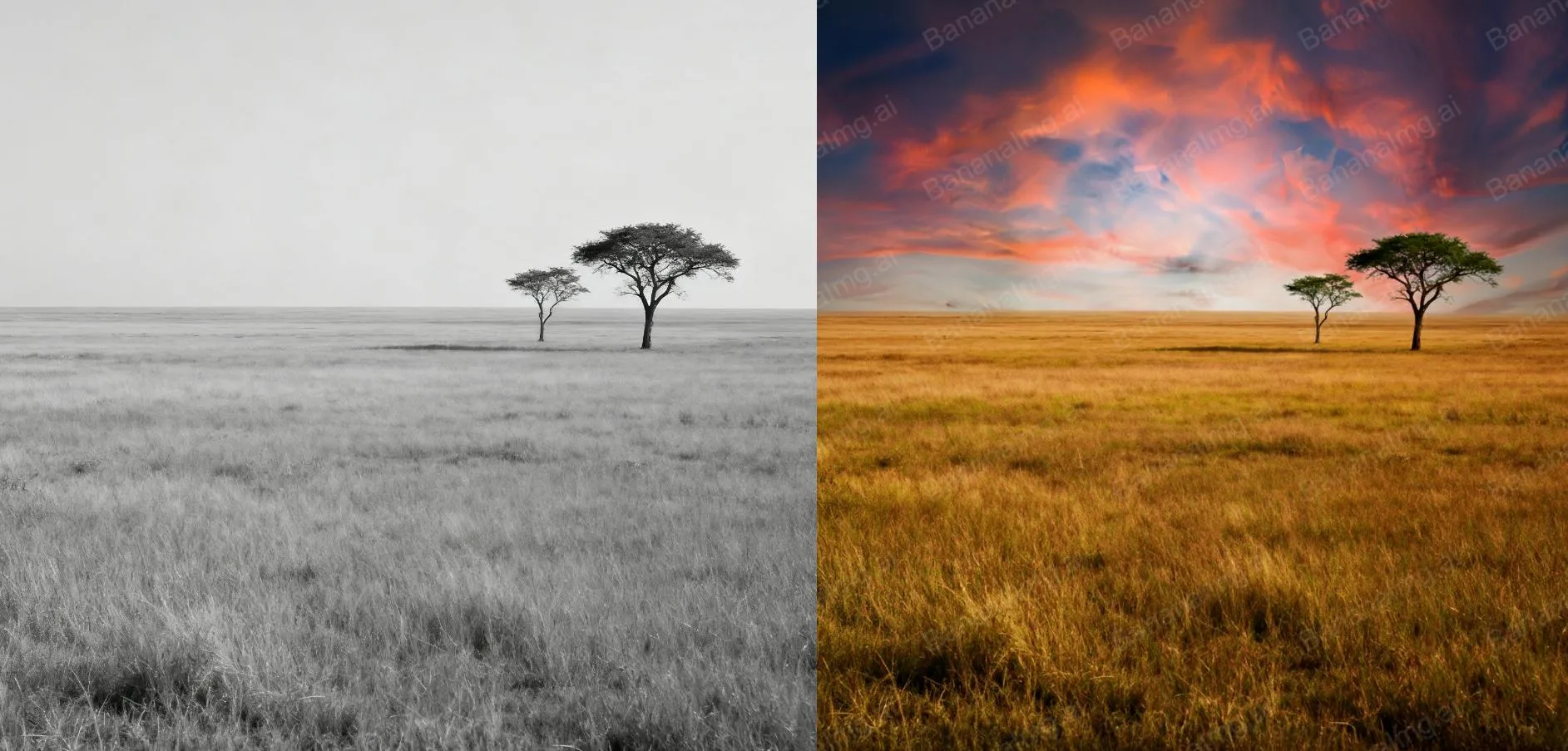
色彩增強(圖片轉圖片)
點擊BananaImg AI,讓圖片色彩更飽和、更鮮豔。上傳一張色彩平淡的照片,用下面的提示詞提高對比、加強色彩和光線,也允許裁掉影響構圖的細節。
This photo is very boring and plain. Enhance it! Increase the contrast, boost the colors, and improve the lighting to make it richer,You can crop and delete details that affect the composition.
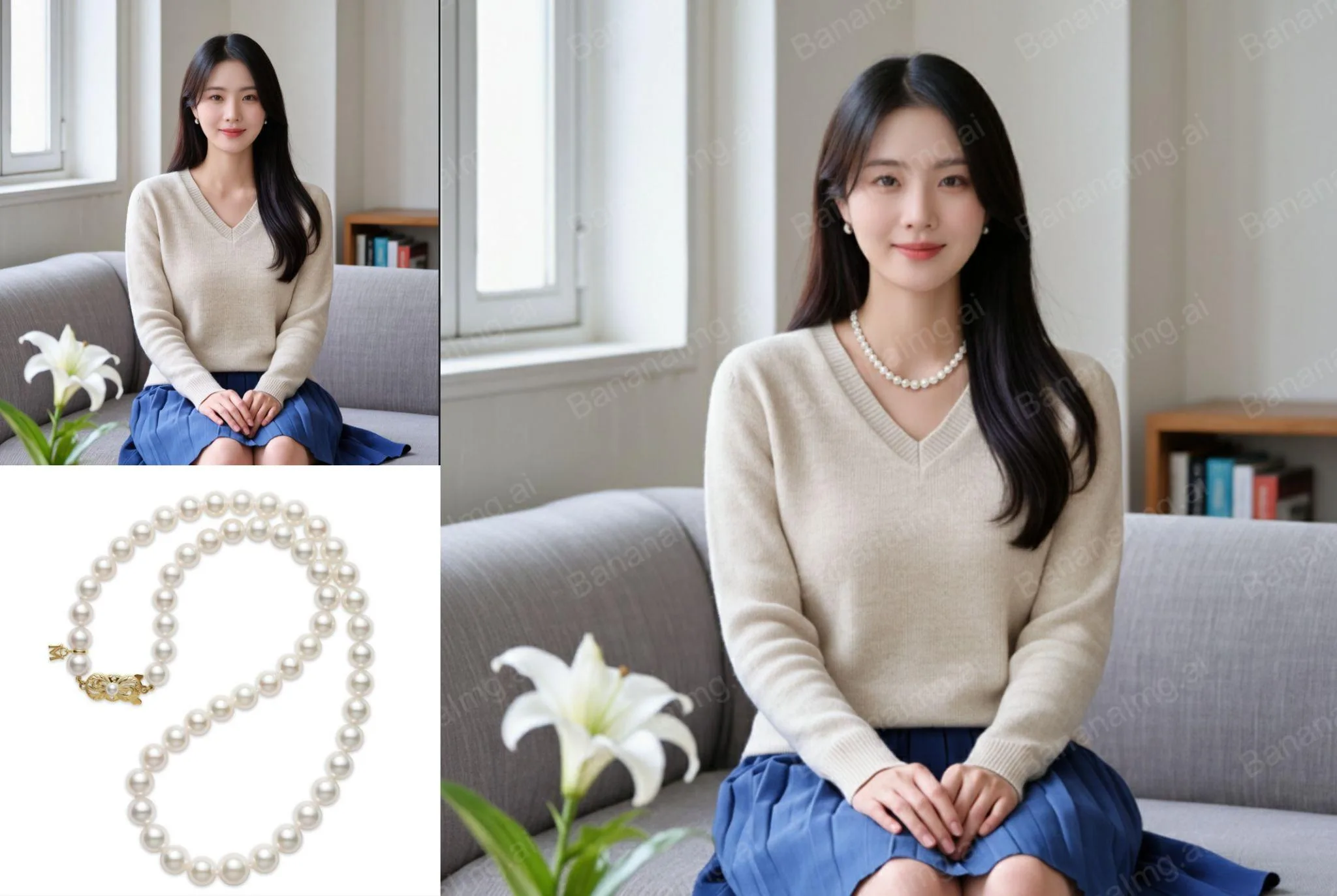
飾品展示(圖片轉圖片)
點擊BananaImg AI,為模特添加不同的珠寶飾品。準備兩張圖:image 1 是模特,image 2 是飾品,把 [necklace] 換成飾品種類,提示詞會要求 image 1 的其他細節完全不變。
The character in image 1 is wearing the [necklace] in image 2. Keep every detail in image 1 stays the same.
插畫創作(圖片轉圖片)
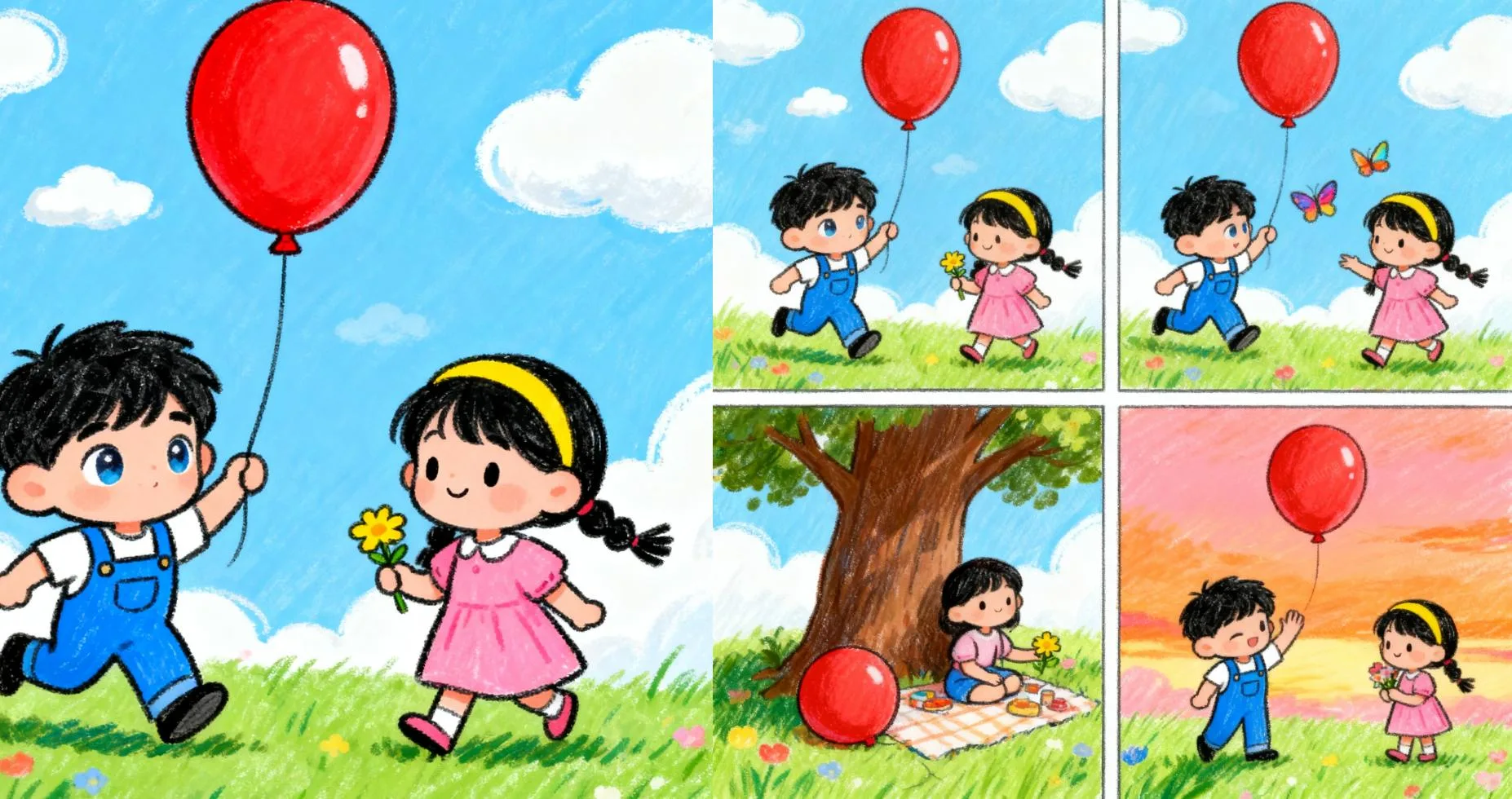
點擊BananaImg AI,根據原圖生成同風格的全新插畫。上傳原圖,把 [comic] 換成想要的畫風,就會生成一組 4 張同風格的全新插畫。
Create a set of 4-images with [comic] style illustrations based on the upload image.
總結
總結來說,Nano Banana AI 不只是單純的圖片生成工具,而是一款能真正融入生活與工作的 AI 幫手。它功能多樣,不只能大幅提升創作效率,也帶來更流暢的使用體驗,隨著功能持續更新,未來更值得期待。
如果你對這些 Nano Banana AI 指令全攻略的玩法有興趣,或是被激發了新的靈感,不妨親自到 BananaImg AI 試試圖片生成。
常見問題
Nano Banana 是什麼?
Nano Banana 是 Google Gemini 推出的圖片生成模型,出圖速度快,多次編輯後仍能保持人物臉部特徵與細節一致。
BananaImg AI 有哪兩種模式?
BananaImg AI 有「文字轉圖片」和「圖片轉圖片」兩種模式,前者直接輸入畫面描述,後者先上傳圖片再用文字提示調整。
Nano Banana 提示詞要用中文還是英文?
BananaImg AI 看得懂中文,但原文建議輸入英文提示詞,通常會得到更好的效果。
用 Nano Banana 做正裝證件照要怎麼下指令?
在圖片轉圖片上傳日常照片,輸入「Transform the photo into a [blue] ID photo who is in a suit...」,[blue] 可換成想要的底色。
(本文於 2026 年 11 月更新:補充步驟說明與常見問題)